Login / Guest Portal
Alerts, reminders, and follow-up visibility

Compliance Notification and Reminder Software

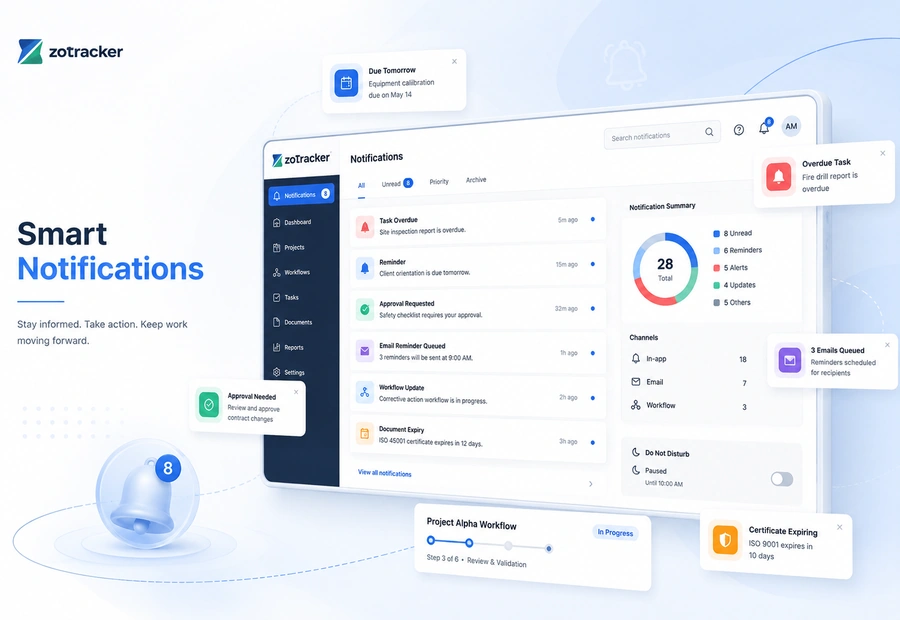
Keep users aware of assigned work, expiring records, overdue actions, approvals, support replies, and workflow events with in-app notifications and email reminders.

ZoTracker notification and reminder center view
Start free Test notifications with real records and no credit card required.
Assign the work Give each record an owner, due date, status, and follow-up path.
Keep proof connected Keep files, notes, history, and reports attached to the workflow.
Scale when ready Add capacity when your team needs more users, storage, or reports.
What it helps you do

Notifications without spreadsheet chasing.

ZoTracker keeps the workflow practical for admins, supervisors, employees, contractors, project teams, operations teams, and any organization that needs traceable records.

Surface assigned work, due dates, approvals, and workflow changes in the portal.

Queue email reminders for certificate, orientation, incident, equipment, project, subscription, and support workflows.

Use scheduled reminder workflows so follow-up does not depend on manual checking.

Keep notification history tied to the module and record that needs attention.

Typical workflow

How your team moves notifications from setup to proof.

  1. A module creates or updates a record that needs attention.
  2. ZoTracker emits an in-app notification or queues an email using the relevant workflow.
  3. The recipient opens the record, completes the work, replies, reviews, or approves.
  4. The owning module preserves status and history for later review.
Common use cases
  • Certificate expiry reminders, orientation overdue notices, incident investigation follow-up, corrective action reminders, equipment workflow reminders, project work reminders, support ticket replies, and subscription notices.
  • Teams that need fewer manual follow-up emails.
  • Supervisors and admins who want overdue work to surface automatically.
Workflow fit

How teams use Compliance Notification and Reminder Software

Notifications work becomes easier when the record has an owner, status, files, due dates, reminders, and reports instead of sitting in a disconnected spreadsheet or folder.

Start with the real record

A module creates or updates a record that needs attention.

Assign the right follow-up

ZoTracker emits an in-app notification or queues an email using the relevant workflow.

Keep proof connected

Certificate expiry reminders, orientation overdue notices, incident investigation follow-up, corrective action reminders, equipment workflow reminders, project work reminders, support ticket replies, and subscription notices.

Report without rebuilding

Use dashboards, reports, exports, and related module history to review what is current, missing, overdue, or ready for audit.

Notifications in practice

See reminders and notifications in a workflow your team can act on.

Keep users aware of assigned work, expiring records, overdue actions, approvals, support replies, and workflow events with in-app notifications and email reminders.

  • Surface assigned work, due dates, approvals, and workflow changes in the portal.
  • ZoTracker emits an in-app notification or queues an email using the relevant workflow.
  • Certificate expiry reminders, orientation overdue notices, incident investigation follow-up, corrective action reminders, equipment workflow reminders, project work reminders, support ticket replies, and subscription notices.
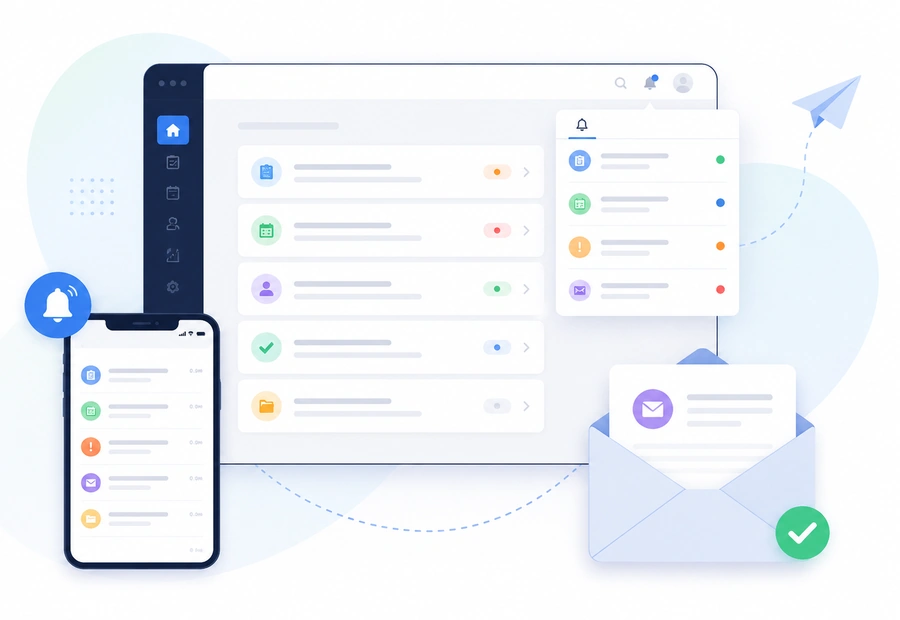
ZoTracker Compliance Notification and Reminder Software product view
Connected records

Notifications works better when related work stays connected.

Use this workflow alongside Certificates, Orientations, Forms, Incidents, Projects, and reporting so your team can see the full context.

Certificates Orientations Forms Incidents Projects Equipment Employees Contractors Customers Meetings Documents Reports Notifications Access and Permissions My Tasks Technical Support
Common questions

Helpful answers before your team chooses a workflow.

Use these answers to understand product fit, setup expectations, and how this ZoTracker workflow supports day-to-day work.

Who is Compliance Notification and Reminder Software for?

It is for teams that need to organize notifications records with ownership, due dates, files, reminders, reports, and traceable history instead of relying on scattered spreadsheets or inboxes.

Can this workflow connect with other ZoTracker modules?

Yes. ZoTracker is designed so related records can connect across people, contractors, customers, projects, equipment, documents, tasks, reminders, and reports where those workflows apply.

Can small teams try this before upgrading?

Yes. Basic Free gives small teams a permanent starter workspace for real records. Teams can upgrade later when they need more capacity, storage, reporting, or rollout support.

Keep evaluating

Related ZoTracker resources.

Use these pages to compare options, understand the workflow, and start with the permanent Basic Free plan.

Questions teams ask

Notifications FAQ

No. ZoTracker can use in-app notification workflows and email delivery depending on the module and event.

Yes. Several reminder workflows can detect due and overdue work on a schedule.

Yes. Notifications are designed to include record context and action links where the module supports it.

Yes. Reminders are useful for any tracked record with due dates, assignments, review states, or follow-up ownership.
Ready to try notifications?

Start notifications in Basic Free.

Use real records first, then upgrade when your team needs more capacity, reporting, storage, or rollout support.