Login / Guest Portal
Builder forms, uploaded forms, public access, and review

Digital Safety Forms and PDF Workflow Software

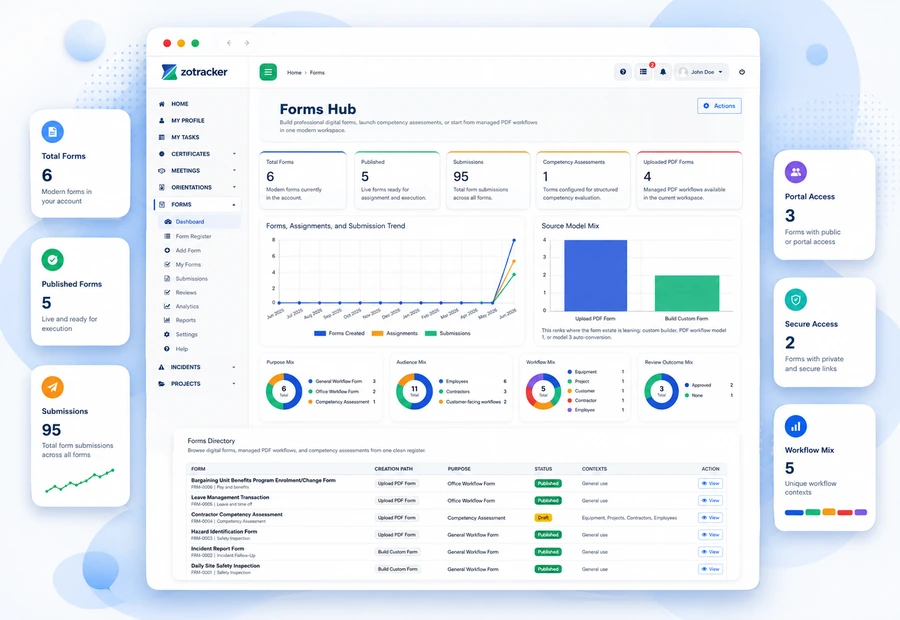
Create forms with the builder, upload source PDFs, assign forms, collect submissions, review results, manage public access links with downloadable QR codes, and report on completion.

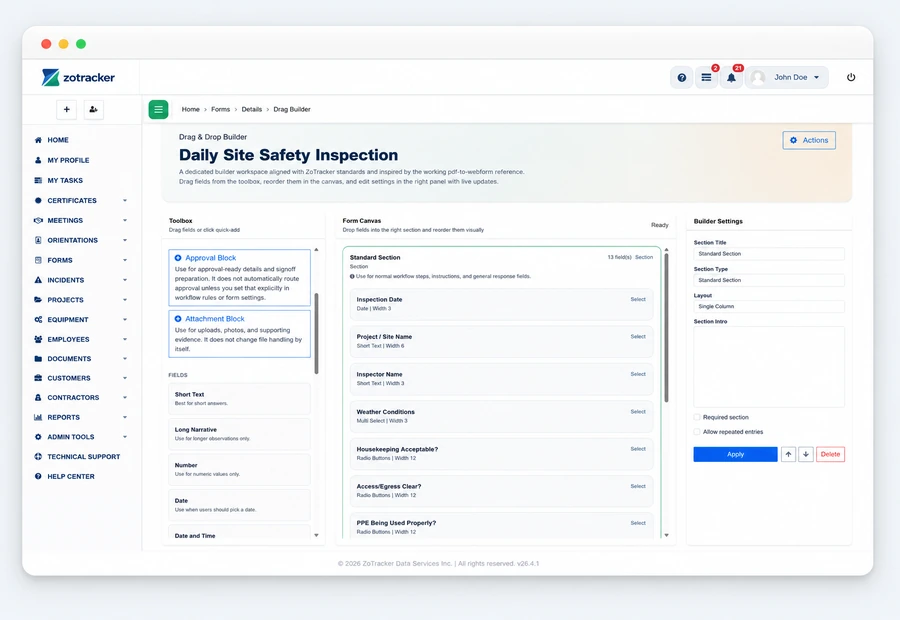
ZoTracker digital form builder view
Start free Test forms with real records and no credit card required.
Assign the work Give each record an owner, due date, status, and follow-up path.
Keep proof connected Keep files, notes, history, and reports attached to the workflow.
Scale when ready Add capacity when your team needs more users, storage, or reports.
What it helps you do

Forms without spreadsheet chasing.

ZoTracker keeps the workflow practical for admins, supervisors, employees, contractors, project teams, operations teams, and any organization that needs traceable records.

Use the builder path for structured digital forms with reusable fields.

Use the PDF/source-file path when you need to preserve an existing form layout.

Assign forms internally or share secure token and QR access externally.

Review, approve, export, and analyze submitted forms.

Typical workflow

How your team moves forms from setup to proof.

  1. Choose a creation path: builder form, uploaded source form, or controlled public access workflow.
  2. Configure fields, versions, assignments, due dates, and review requirements.
  3. Users complete forms from their task area, a secure access link, or a public-access QR code where enabled.
  4. Review submissions, download files, and report on completion and overdue work.
Common use cases
  • JHAs, FLHAs, inspections, toolbox forms, hazard IDs, signoffs, field checklists, and client-required paperwork.
  • PDF workflow preservation when teams already have approved form templates.
  • Public or limited-access completion for non-employee participants using secure links and QR codes.
Workflow fit

Digital forms that keep field evidence usable

Form software should help teams collect the right information, review it, connect it to the right workflow, and report on completion without losing evidence in paper folders.

Builder and PDF paths

Use structured builder forms where reporting matters, or preserve existing PDF/source forms when the current format is required.

Assignments and public access

Assign forms internally or use controlled token and QR access where the workflow supports external completion.

Review-ready submissions

Keep submissions, files, approval states, completion status, and downloads tied to the form record.

Connected reporting

Use forms with projects, equipment, incidents, customers, contractors, and audit-ready reports instead of isolated files.

Forms in practice

See digital forms and submissions in a workflow your team can act on.

Create forms with the builder, upload source PDFs, assign forms, collect submissions, review results, manage public access links with downloadable QR codes, and report on completion.

  • Use the builder path for structured digital forms with reusable fields.
  • Configure fields, versions, assignments, due dates, and review requirements.
  • JHAs, FLHAs, inspections, toolbox forms, hazard IDs, signoffs, field checklists, and client-required paperwork.
ZoTracker Digital Safety Forms and PDF Workflow Software product view
Connected records

Forms works better when related work stays connected.

Use this workflow alongside Certificates, Orientations, Incidents, Projects, Equipment, and reporting so your team can see the full context.

Certificates Orientations Forms Incidents Projects Equipment Employees Contractors Customers Meetings Documents Reports Notifications Access and Permissions My Tasks Technical Support
Common questions

Helpful answers before your team chooses a workflow.

Use these answers to understand product fit, setup expectations, and how this ZoTracker workflow supports day-to-day work.

Can ZoTracker replace paper safety forms?

Yes. Teams can move common safety forms into builder, uploaded source, or PDF workflows depending on the record they need to preserve.

Can outside users submit forms?

Where enabled, secure public access and QR workflows can support controlled external form completion.

Can form submissions be reported?

Yes. Form completion, review status, submissions, downloads, and related reports help teams find evidence later.

Keep evaluating

Related ZoTracker resources.

Use these pages to compare options, understand the workflow, and start with the permanent Basic Free plan.

Questions teams ask

Forms FAQ

Yes. ZoTracker supports uploaded source/PDF workflows alongside builder-created forms.

Yes. Token-based public access and downloadable QR codes can be used where the form workflow allows it.

Yes. Submissions can go through review and approval states with reporting and file delivery.
Ready to try forms?

Start forms in Basic Free.

Use real records first, then upgrade when your team needs more capacity, reporting, storage, or rollout support.